HA Kiosk: Your Go-To iPad App for Simple Digital Signage
I remember the first time I needed to set up digital signage for a small event. It felt like a monumental task. I was juggling booth setup, product demos, and networking, and the last thing I wanted to worry about was a complicated display system. I needed something that just worked, looked professional, and didn't require an IT degree. That’s when I discovered the power of a simple, dedicated app to turn an everyday device into a signage solution.
What is Digital Signage and Why Use an iPad?
Digital signage is essentially using screens to display dynamic content – think menus in restaurants, information boards at airports, or promotional videos in retail stores. It’s a powerful way to engage audiences, convey information quickly, and enhance the overall experience. The benefits are clear: increased customer engagement, improved brand awareness, faster communication, and the ability to update content instantly, eliminating the cost and hassle of printing physical signs.
Now, why an iPad? In my experience, iPads offer a sweet spot for many digital signage needs. They’re relatively affordable, especially compared to dedicated commercial displays. Their portability means you can set them up anywhere, from a small coffee shop counter to a large conference booth. The touchscreen capability opens up interactive possibilities, and the intuitive iOS interface makes them easy to manage. Plus, they just look sleek and modern. For small to medium businesses, event organizers, or anyone looking for a straightforward digital signage solution, an iPad is a fantastic canvas. The challenge, however, has always been finding software that truly unlocks this potential without a steep learning curve or hefty price tag. This is where a dedicated iPad digital signage app becomes essential.
HA Kiosk: Your Simple iPad Digital Signage Solution
After trying a few different approaches, I stumbled upon HA Kiosk, and it quickly became my go-to solution for transforming an iPad into a reliable digital signage display. It’s built on a simple premise: make it incredibly easy to turn your device into a full-screen, dedicated display for whatever content you need. Unlike overly complex digital signage software that requires servers, subscriptions, and constant fiddling, HA Kiosk focuses on core functionality.
One of the standout features for signage is its ability to run content in a true full-screen mode. This means no browser bars, no notification pop-ups, just your content, front and center. This immediately elevates the professionalism of your display. Another critical feature for any signage is auto-start. HA Kiosk can be configured to launch automatically when the device powers on or reboots. This is a lifesaver. Imagine your iPad restarts overnight; with HA Kiosk, your signage is back up and running before anyone even arrives. This reliability is crucial for unattended displays.
The ease of setup is where HA Kiosk truly shines. You download the app, configure your display settings within minutes, and then simply point it to your content. Whether you're displaying a single image, a series of images in a slideshow, or even a web page, the process is straightforward.
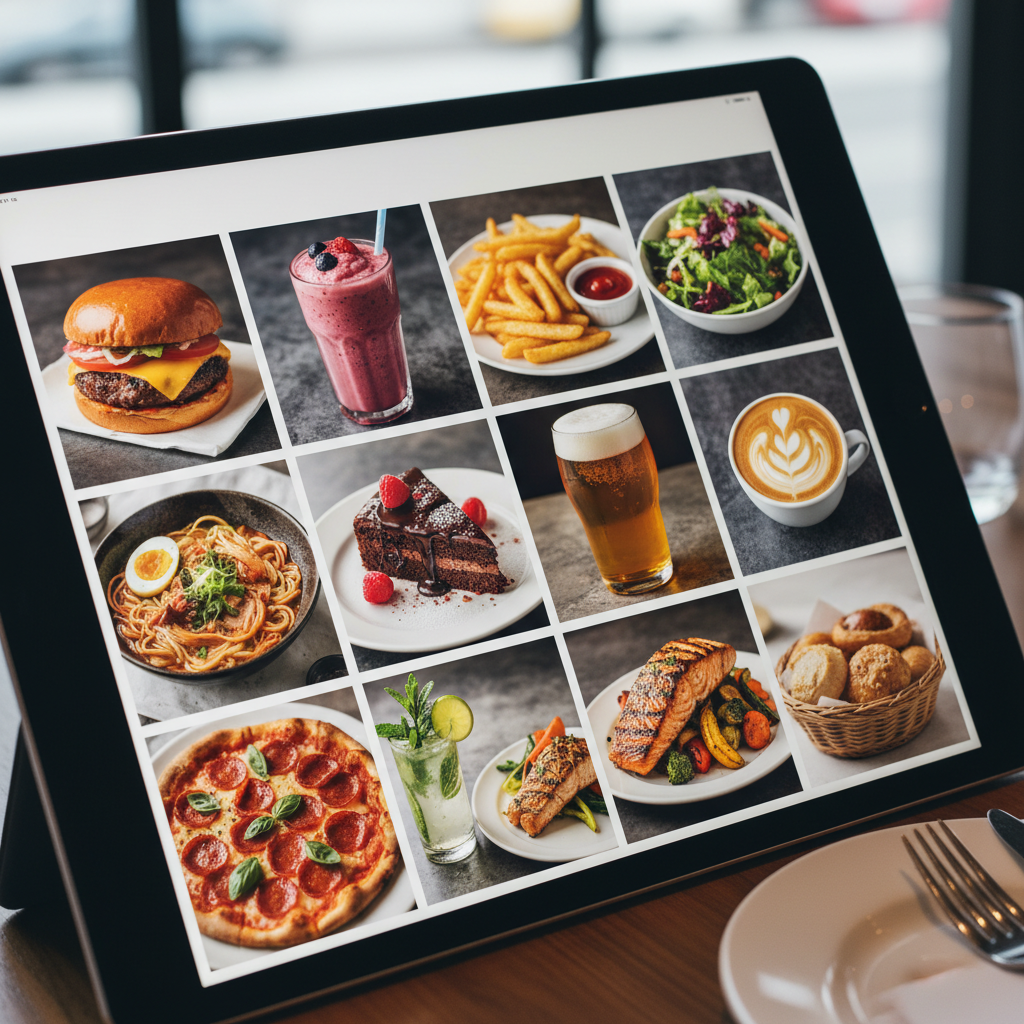
Think about a local cafe. Instead of expensive printed menus that are a pain to update, they can use HA Kiosk on an iPad to display a dynamic menu. As specials change or prices are adjusted, the content can be updated instantly via a web link. For event organizers, an iPad running HA Kiosk can serve as an information point, displaying schedules, maps, or speaker bios. In an office lobby, it can showcase company news, welcome visitors, or highlight upcoming events. Product showcases at trade shows? Load up product images or a website demo – HA Kiosk ensures it’s always running, full screen. It's the simplest digital signage app when you need something reliable and effective without the overhead.
Setting Up Your iPad for Digital Signage with HA Kiosk
Getting started with HA Kiosk for your digital signage needs is refreshingly simple. If you're looking for an iPad digital signage app that prioritizes ease of use, this is it.
First, download HA Kiosk from the App Store. Once installed, open the app. You'll be greeted with a clean interface where you can immediately start configuring your display. The primary setting you’ll adjust is the "Content Source." This is where you tell HA Kiosk what to show. You have several options:
Web Page: This is incredibly powerful. You can point HA Kiosk to any URL. This could be a dedicated web page you've designed for your signage, a cloud-hosted dashboard, or even a public website. The app will continuously load and display this web page in full screen.
Images (Local/Network): If your content is primarily static images, you can load them directly onto the device or point HA Kiosk to a network location where your images are stored. You can configure slideshow settings, including transition effects and display duration for each image.
PDF Documents: For displaying brochures or reports, HA Kiosk can render PDF documents.
Once you've selected your content source, you'll dive into other key settings:
Auto-Start: Enable this so HA Kiosk launches automatically upon device startup.
Keep Screen On: Essential for continuous display. This prevents the iPad from going to sleep.
Screen Orientation: Lock the display to portrait or landscape mode as needed for your content and placement.
Display Refresh Interval: For web pages, you can set how often the app should check for updates or simply refresh the page.
Beyond the app, optimizing your iPad’s system settings is also beneficial. Ensure Wi-Fi is stable if you're relying on web content or network files. Consider disabling notifications in the iPad’s main settings to prevent interruptions. For a permanent installation, you might want to look into a secure mounting solution.
Loading content is as easy as typing a URL into the app or selecting files. For web content, ensure your web page is designed responsively so it looks good on the iPad screen size. For image slideshows, organize your images clearly. The beauty of HA Kiosk is that it abstracts away the complexity, letting you focus on creating compelling content for your digital signage.
Advanced Features for Dynamic Digital Signage
While HA Kiosk excels at simplicity, it doesn't entirely skimp on features that enable more dynamic digital signage. For many use cases, the core functionality is more than enough. However, if you need a bit more sophistication, HA Kiosk offers pathways.
The "Web Page" content source is the gateway to advanced dynamism. By hosting your signage content on a web server, you can implement almost anything. This includes:
Scheduled Content Changes: Your web page can be programmed to display different content at different times of the day or week. For example, a restaurant could show breakfast menus until 11 AM, then switch to lunch specials.
Data Integration: If your web page can pull data from external sources (like live event schedules, weather feeds, or social media streams), HA Kiosk will display it seamlessly.
Interactive Elements: While HA Kiosk itself isn't a complex interactive kiosk builder, if you point it to a web page designed with interactive elements (buttons, forms), the iPad's touchscreen will naturally work with them.
Compared to enterprise-level digital signage platforms that might involve cloud dashboards, complex content scheduling tools, and multi-device management for hundreds of screens, HA Kiosk is refreshingly straightforward. You’re not paying for features you’ll never use. This makes it particularly attractive for smaller businesses, temporary installations, or specific events where complexity is the enemy.
For instance, if you're exhibiting at a trade show, you need a reliable iPad kiosk app for exhibitions and trade shows that can run continuously, display product information, and perhaps even capture leads via a linked webpage. HA Kiosk is perfect for this. You can set it up in minutes, ensure it auto-starts, and have confidence it will display your marketing materials flawlessly throughout the event, without requiring constant attention. It handles the core job of "display this content" exceptionally well, freeing you up to focus on your attendees.
Beyond Signage: HA Kiosk for Other iPad Kiosk Needs
The strength of HA Kiosk lies in its versatility, driven by its core function: turning an iPad into a dedicated, full-screen display. While we've focused on digital signage, this capability extends to many other "kiosk" applications.
For example, many users leverage HA Kiosk as the best iPad kiosk app for Home Assistant dashboards. If you run a smart home setup using Home Assistant, you might have a dedicated tablet in your kitchen or living room displaying real-time sensor data, camera feeds, or control panels. HA Kiosk ensures that your Home Assistant dashboard loads in full screen and stays there, providing a clean, always-on interface without any distractions. You simply point HA Kiosk to the URL of your Home Assistant dashboard, and it takes care of the rest.
Similarly, it's perfect for:
Information points: Displaying maps, directories, or FAQs in public spaces.
Booking systems: Running a web-based room or resource booking interface.
Feedback forms: Dedicating a tablet to a customer satisfaction survey page.
Art displays: Turning an iPad into a digital photo frame for showcasing artwork.
The underlying principle remains the same: take a specific task (displaying a webpage, images, or PDF) and make it run reliably, full screen, on an iPad. This adaptability makes HA Kiosk a valuable tool in a developer's or business owner's arsenal, extending its utility far beyond just digital signage.
Download HA Kiosk and start your free trial today to transform your iPad into a powerful digital signage display.