HAkiosk 2.2 for Android: the tablet adds itself to Home Assistant, and the MQTT crash is fixed
HAkiosk 2.2 for Android is on Google Play. It is version 2.2, build 14, and it replaces 2.1 (build 13). Two things make it the release to install: it fixes a crash that broke MQTT for everyone on 2.1, and it lets the tablet register itself in Home Assistant instead of asking you to write YAML.
This is the Android app. The iPad and iPhone app is a separate codebase on version 1.4 and none of this applies to it.
If you use MQTT, read this part first
HAkiosk 2.1 crashed the moment MQTT connected. Not sometimes — every time, on the build that shipped to Google Play.
The cause was ours and it was invisible in the place we were looking. The MQTT client pulls in a queue library, JCTools, that finds one of its fields by name at startup and afterwards touches it only through low-level memory access. R8, the optimiser that runs on release builds, saw a field with no readers, decided it was dead and deleted it. The class survived; the field did not; the first MQTT connection died in a static initializer. Debug builds are not minified, so every build we tested by hand worked perfectly. The one on the store did not.
If you turned MQTT off to stop the crashing, 2.2 is safe to turn it back on. Your broker settings were never the problem and they are still there.
What changed beyond the fix: the release build now fails if the defect comes back. R8 writes a report of everything it removed, and a build step reads that report and refuses to produce an artifact if any field in those packages is gone. Measured on this project: zero such fields removed with the keep rules in place, thirty-four without them. That check runs on the actual release bundle, which is the artifact that was never being checked before.
We are sorry. A crash on connect is the worst kind of bug to ship, because the people it hit were the ones using the deepest feature we have.
The tablet adds itself to Home Assistant
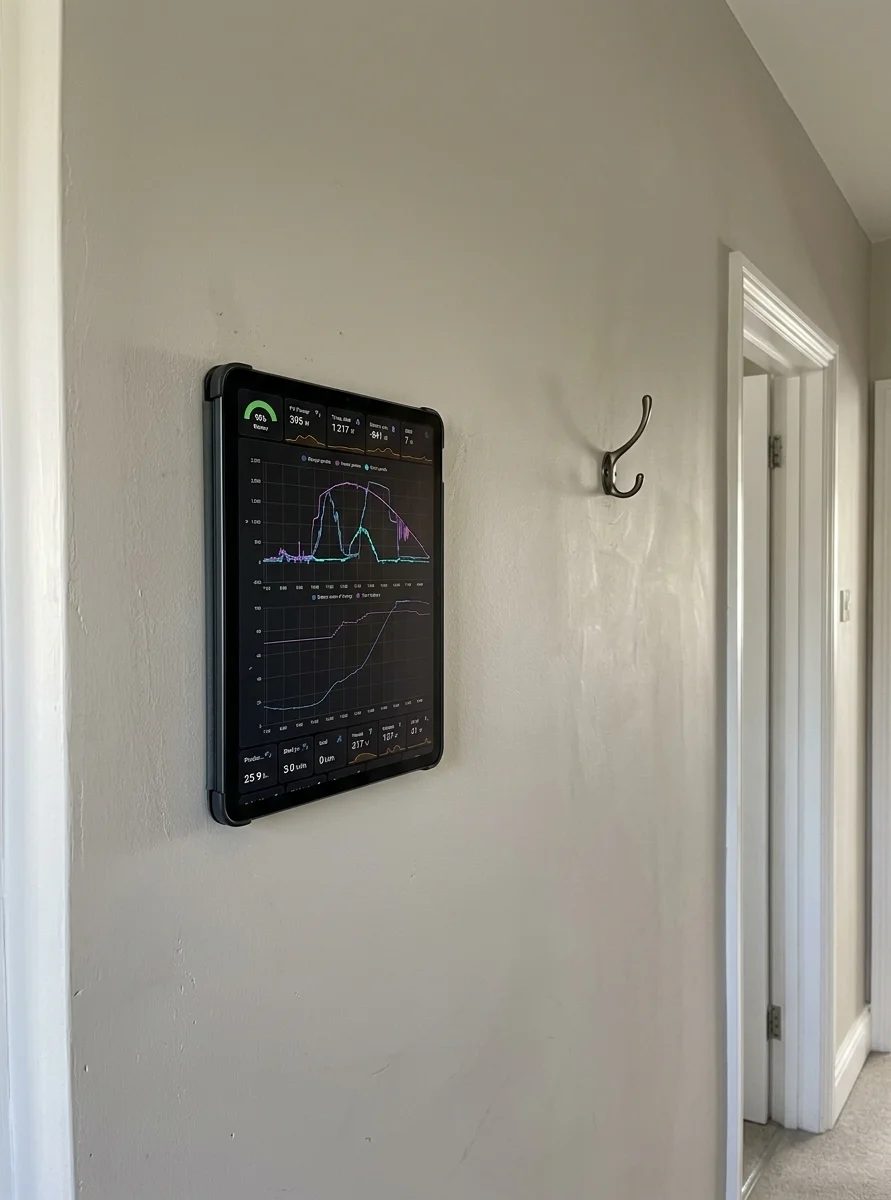
Turn on MQTT discovery in Settings → Automation, give the tablet a name, and it announces itself to your broker. Home Assistant creates one device with five entities and no configuration file is edited at any point:
- Battery — a percentage sensor with the battery device class, so it shows up in the energy and device pages like any other battery.
- Charging — a binary sensor, on while the tablet is on power.
- Presence — an occupancy binary sensor, driven by the front-camera face detection.
- Screensaver — a switch. On sends the screensaver command, off sends wake. It reflects the real state, so an automation can read it as well as set it.
- Refresh — a button that reloads the page.
Three details worth knowing, because they are the ones that go wrong in other integrations:
Entity identity survives a renamed topic. The unique id is derived from an install id generated on first run, not from your MQTT topic. Renaming hakiosk/hallway to hakiosk/kitchen is something people do, and it does not duplicate your entities or orphan their history.
Turning discovery off actually removes the entities. Discovery messages are retained, which means they outlive the app; switching discovery off publishes an empty payload to each config topic so Home Assistant forgets the device instead of leaving five ghosts on your broker.
Presence reports "unavailable", never a wrong answer. The presence entity is only meaningful while the camera is running. When face detection is off, the app publishes no presence value and the entity is unavailable — it never claims the room is empty because nothing is looking at it. An automation that turns the lights off on an empty room should not be able to fire because a camera was switched off in a settings screen.
Face detection stays opt-in and off by default, and the camera work is done on the device. If you want the walk-up-and-wake behaviour, we wrote up how it fits together.
A photo screensaver, from your own pictures
The screensaver can now show photos from either of two sources:
- Immich — enter your server URL and an API key, press Load albums, pick one. Self-hosted photos and self-hosted home automation tend to live in the same house.
- A folder on the device — chosen with the standard Android file picker. The permission is persisted, so the folder is still readable after the tablet reboots, which matters on a wall where nobody is watching for a blank screen.
Interval is adjustable from 5 seconds to 5 minutes. Photos are cached: if the Immich server is down or the wifi is out, the screensaver keeps showing what it already has rather than going black.
There is no Google Photos option, and that is not an oversight. Google's Library API has been behind restricted-scope approval since 2025, and there is no supported way for an app like this to read your albums. A folder of exported photos is the honest alternative, so that is what we built.
Timed page changes and return-to-start (Pro)
Three settings for panels that are not just one dashboard, all under Settings → Automation:
- Reload every N minutes, up to 60. A Home Assistant dashboard does not need it — it holds a live connection — but a Grafana render or a static status page does.
- Return to the start page after N minutes idle, up to 60. Someone taps into a sub-page, walks away, and the panel goes back to where it belongs.
- Scheduled URLs — up to eight, either by time of day (a breakfast menu at 07:00, lunch at 11:00, dinner at 17:00) or rotating on a timer from 1 to 120 minutes. Before the first start time the last entry stays on screen, so a daypart schedule does not blank the wall overnight.
What happens when the network drops
This has not changed in 2.2, but it is the question we get most often, and the honest answer is more useful than the marketing one.
HAkiosk keeps showing the last loaded page when the connection drops where the dashboard allows caching, and it shows an offline page of your choosing when it does not. It never shows a browser error page. A small "Offline" pill appears in the corner whenever there is no network, so cached content is never presented as live. When a working network comes back the app reloads the page by itself — measured at under 25 seconds on our test rig, with nobody touching the tablet.
The limits, stated plainly:
- Whether your dashboard survives an outage is decided by your dashboard, not by us. Pages sent with
no-storeare never written to disk, so there is nothing to fall back to but your offline page. Everything else we tested — normal cache headers, no headers,no-cache— survived a reboot in airplane mode. - Live data does not survive. A cached page shows the values it had at its last load. Nothing here makes Home Assistant work without Home Assistant.
- The first load has to succeed. A tablet that has never reached the dashboard has only the offline page to show.
The offline fallback is yours to choose in Settings → Device: the default notice, a sentence you type, or a picture you pick. The message and the picture are drawn by the app itself rather than loaded into the browser view, which is what makes them the only two that are guaranteed to appear.
Updating
Google Play updates it for you. If you want it now, open the HAkiosk listing and press Update. Settings carry over, and everything new here is off until you turn it on.
If you are setting a tablet up from scratch, the Android setup guide is the place to start.