A Live Crypto Price Dashboard for Your Wall Tablet or TV
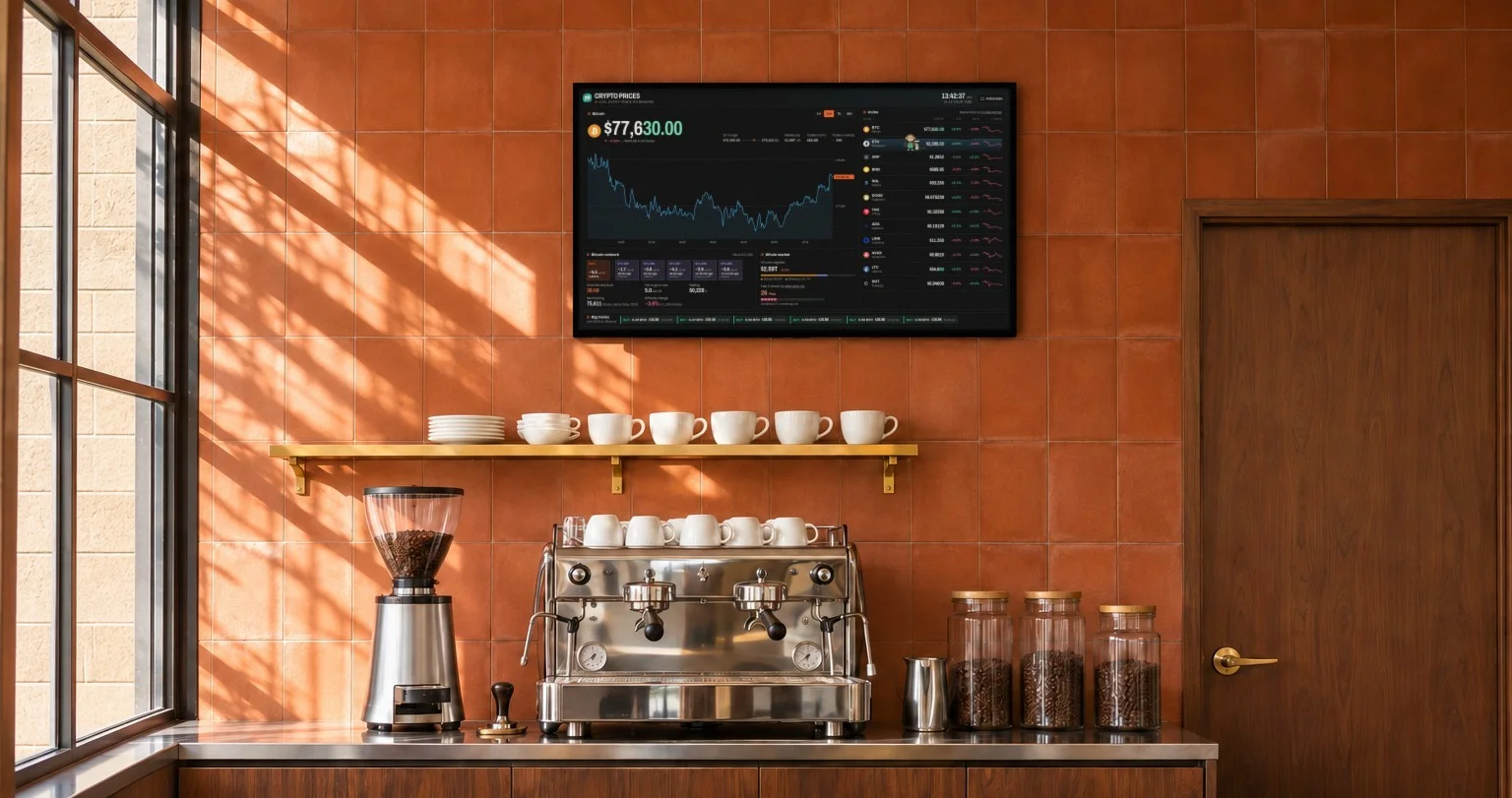
This crypto dashboard is made to be left on: a screen on the wall of an office, a shop or a home, where the prices move by themselves and anyone walking past can read them.
It is free and needs no sign-up: www.hakiosk.com/dashboard/crypto.
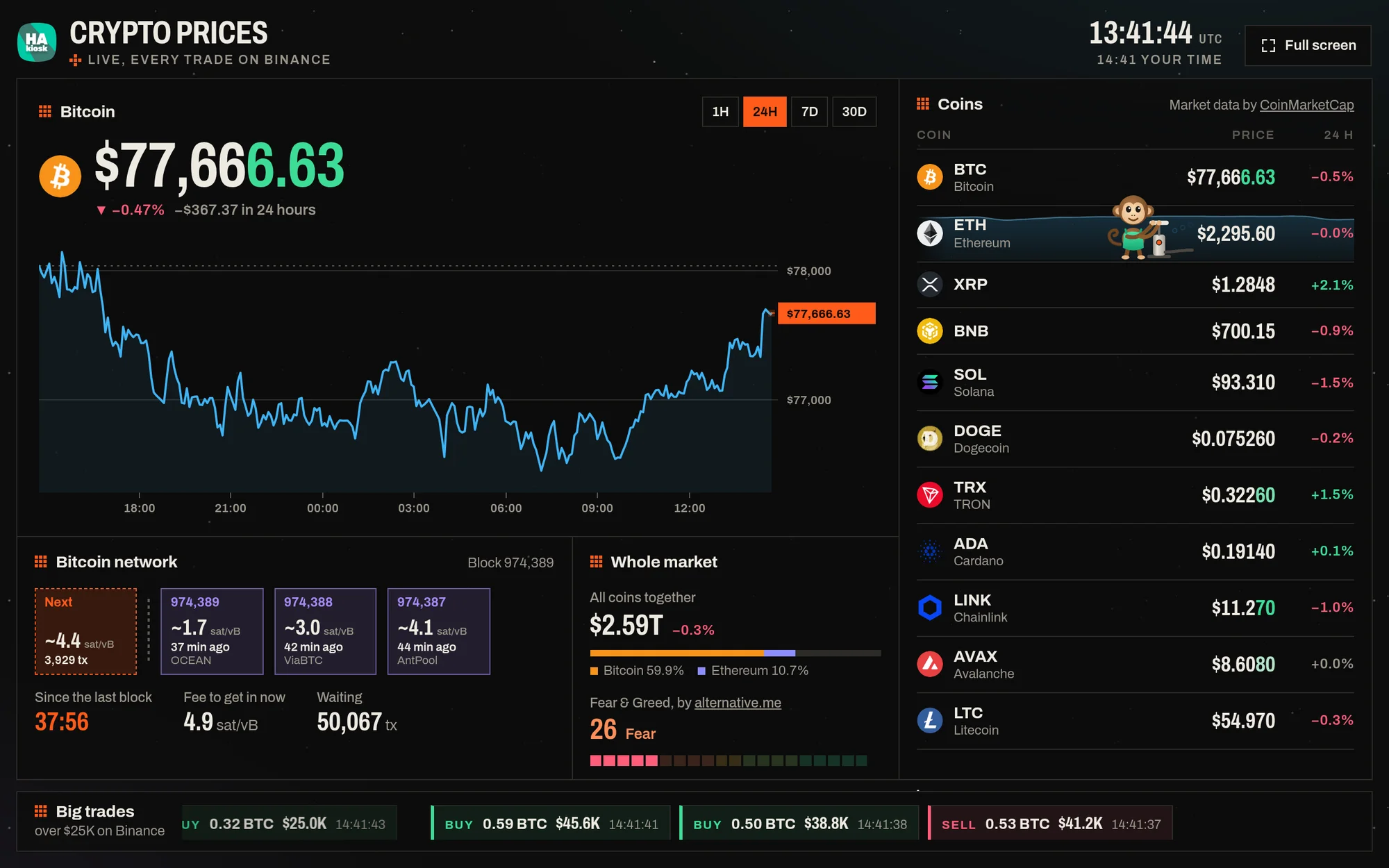
Prices from every trade
The prices come from Binance's public market data stream, trade by trade. When a trade goes through, the price changes at once, and the digits that moved flash green or red. A coin Binance does not trade shows CoinMarketCap's price, updated every few minutes.
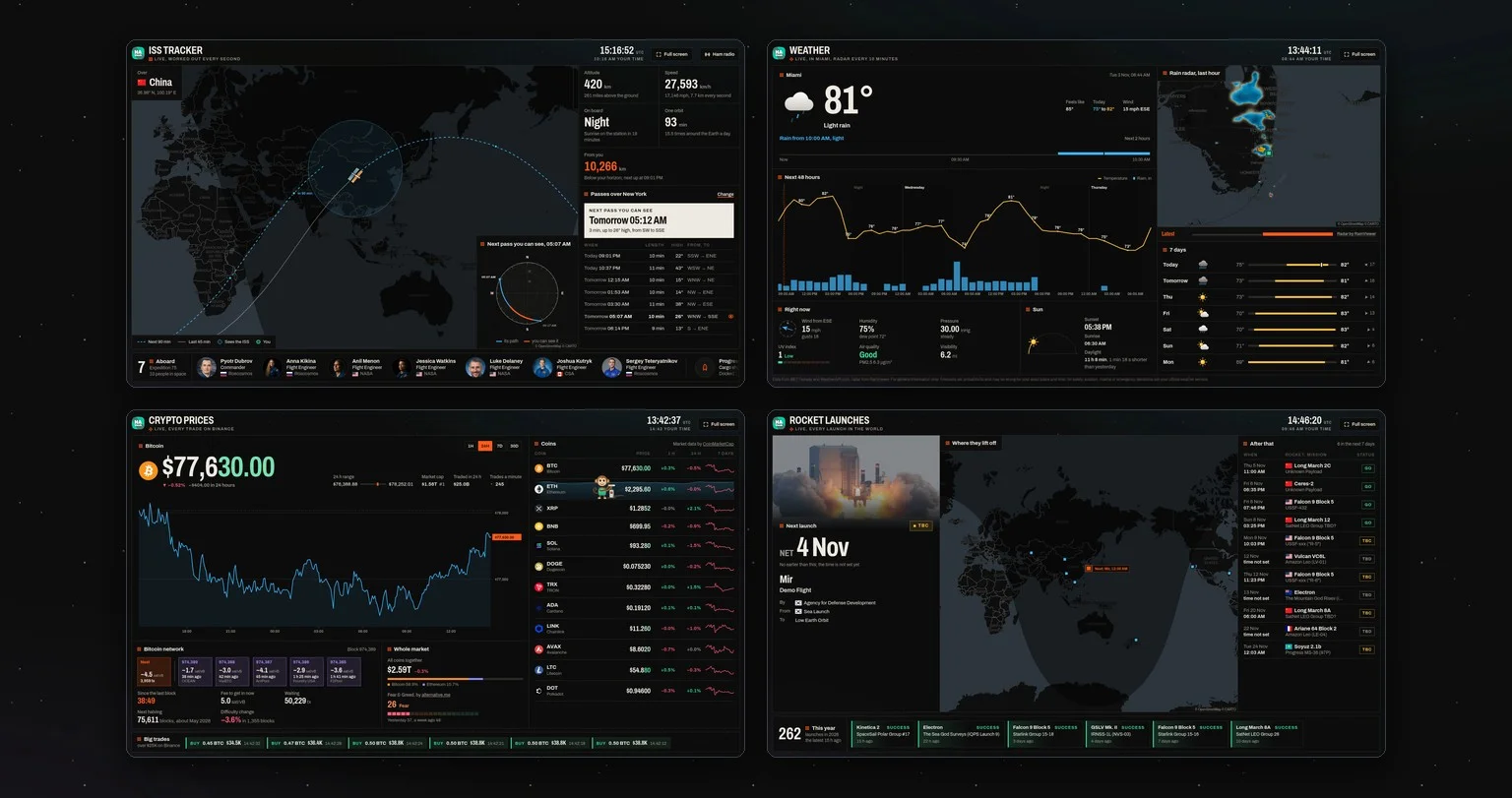
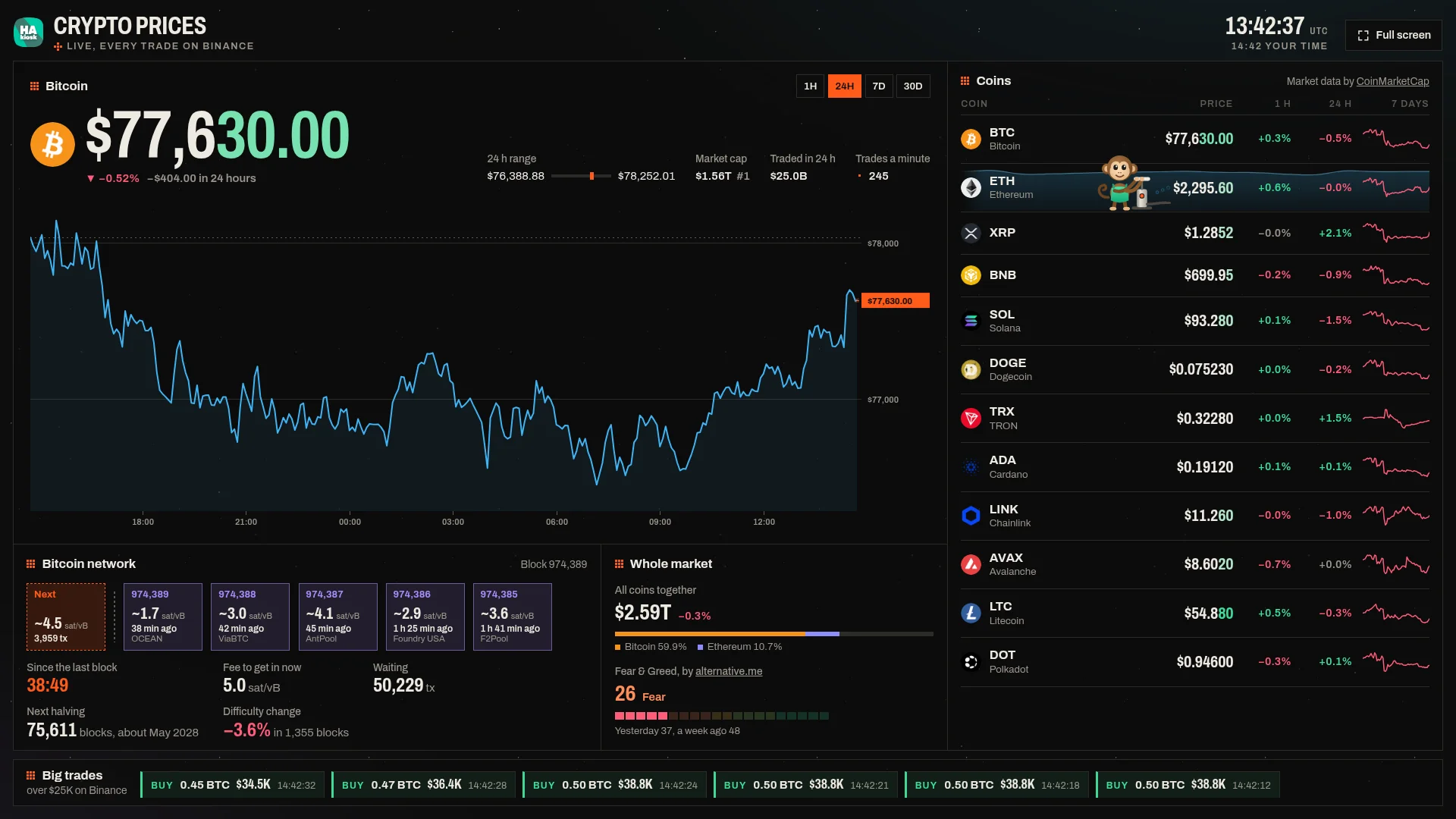
- The big panel shows one coin: its price, the change over 24 hours, the day's range, market cap and rank, how much was traded in 24 hours, and how many trades go through a minute. The chart switches between 1 hour, 24 hours, 7 days and 30 days, and its last point moves with the live price.
- The coin list has twelve coins to start with, each with its price and the change over 1 hour, 24 hours and 7 days, and a 7-day line where the screen is wide enough. Tap a coin to show it in the big panel.
- Big trades run along the bottom: every buy or sell over $25,000 on Binance as it happens, with its size and price.
The Bitcoin network and the whole market
Two panels show what is happening underneath the prices.
- Bitcoin network, live from mempool.space: the next block filling up with the transactions waiting for it, the latest blocks with their fee rate and the pool that found them, the time since the last block, and the fee to get into the next one. It also counts down to the next halving and the next difficulty change.
- Whole market: the value of all coins together from CoinMarketCap, Bitcoin's and Ethereum's share of it, and the Fear & Greed index by alternative.me, the market's mood from 0 to 100.
The pump monkey
A small monkey lives on the coin list. He stands in the row of the coin that is rising fastest over the last 15 minutes of live trades, connects his hose to its price and pumps, and every stroke is a real price tick up on that coin. The water in the row rises where his hose pours it in and spreads out in waves. When a buy of over $100,000 goes through, or a new Bitcoin block is found, he throws his arms up. When every coin on the board is falling, he sits down with a frown.
He is there for fun, not for advice.
Your coins, your currency
Press Edit coins to add any of the 250 biggest coins, remove the ones you do not follow and put them in your order. The buttons at the top switch between dollars and euros.
For a screen that nobody touches, put the choice in the address once:
https://www.hakiosk.com/dashboard/crypto?coins=bitcoin,ethereum,solana&coin=ethereum¤cy=eur&range=7d
Put it on your wall
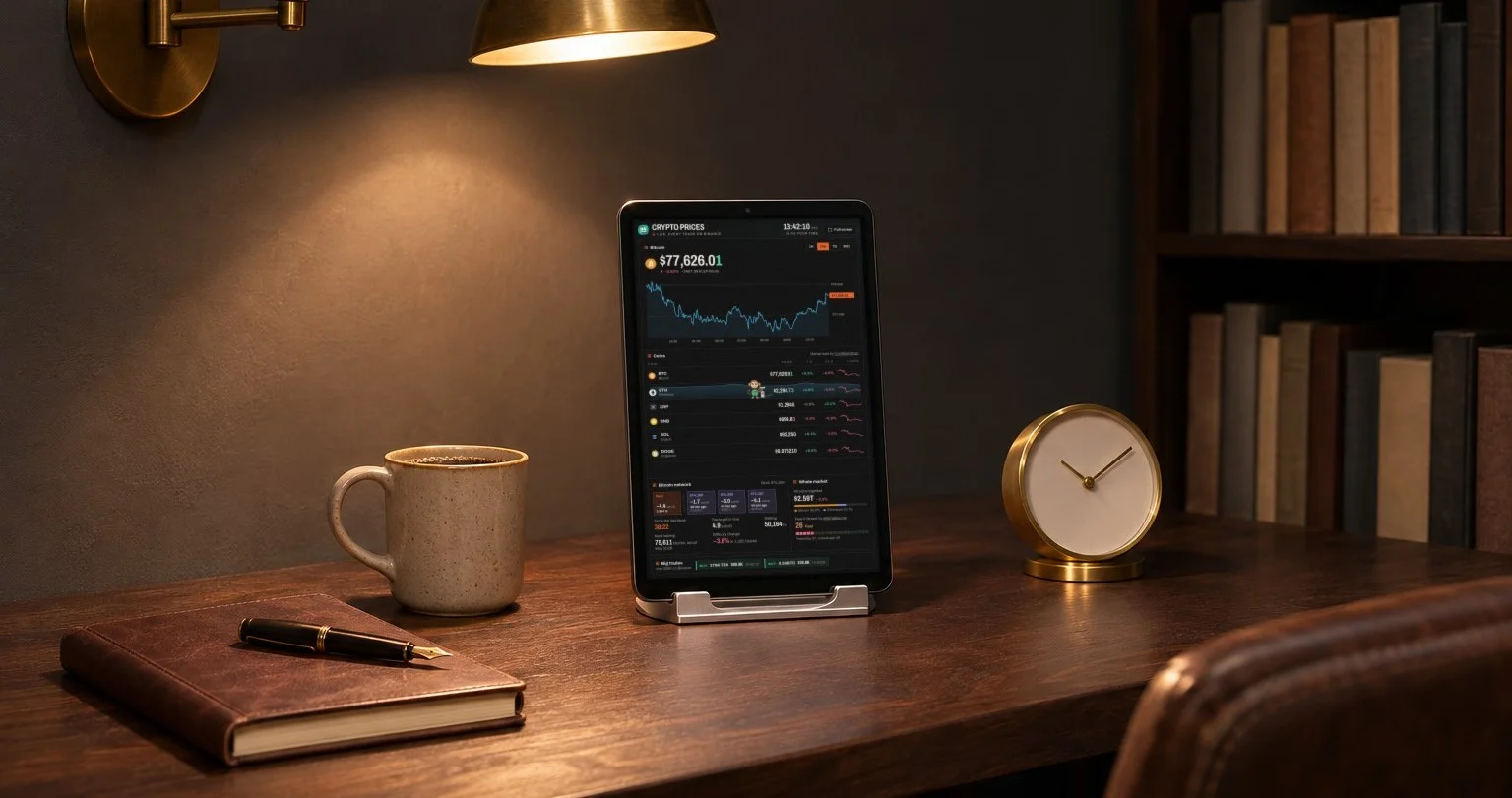
- Install HAkiosk on an Android tablet from Google Play, or on an iPad or iPhone from the App Store. HAkiosk shows one web page full screen and keeps it there, day and night.
- Give it the dashboard's address, with your coins in it if you like.
- Mount the tablet where you will see it, and plug it in.
On a TV or a laptop, open the page and press Full screen at the top. In any other kiosk browser, add kiosk=1 to the address. The layout fits the screen it is on, from a phone to a 1080p TV: a landscape tablet and a TV show everything on one screen, without scrolling.
Already have a Home Assistant dashboard on your wall? Add the same address in a Webpage card, and the prices sit beside your lights and heating.
Where the numbers come from
Live prices, the charts, the day's range and the big trades come from Binance. Market cap, rank and the 1-hour, 24-hour and 7-day changes come from CoinMarketCap every few minutes. A coin Binance does not trade shows CoinMarketCap's price. The Bitcoin network is from mempool.space, and the Fear & Greed index from alternative.me.
Open the crypto dashboard. It is free, with no sign-up.